client-for-openproject

Client for OpenProject
An unofficial mobile client for OpenProject
📱 Screenshots
| Splash | Server | Token |
 |
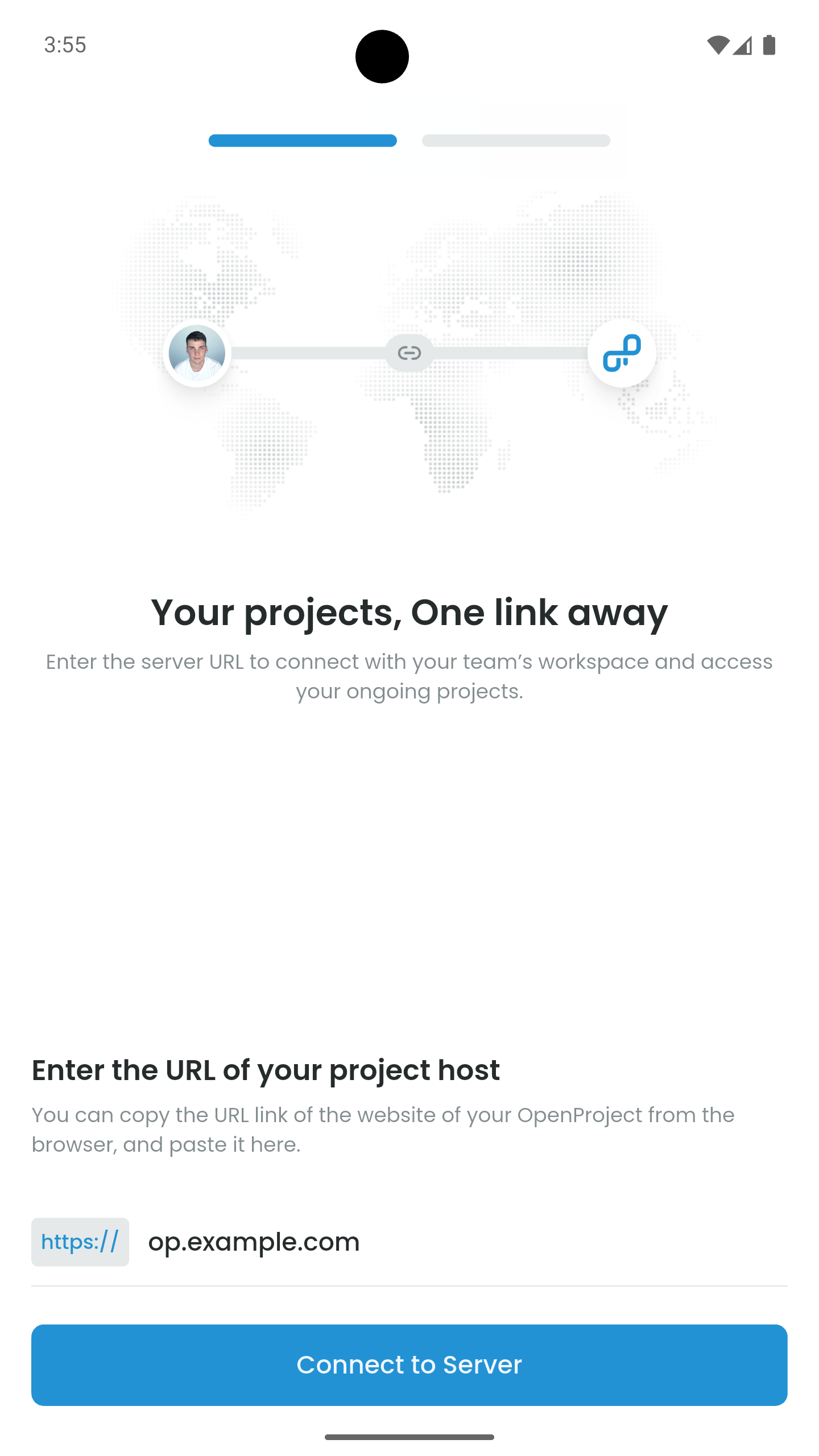 |
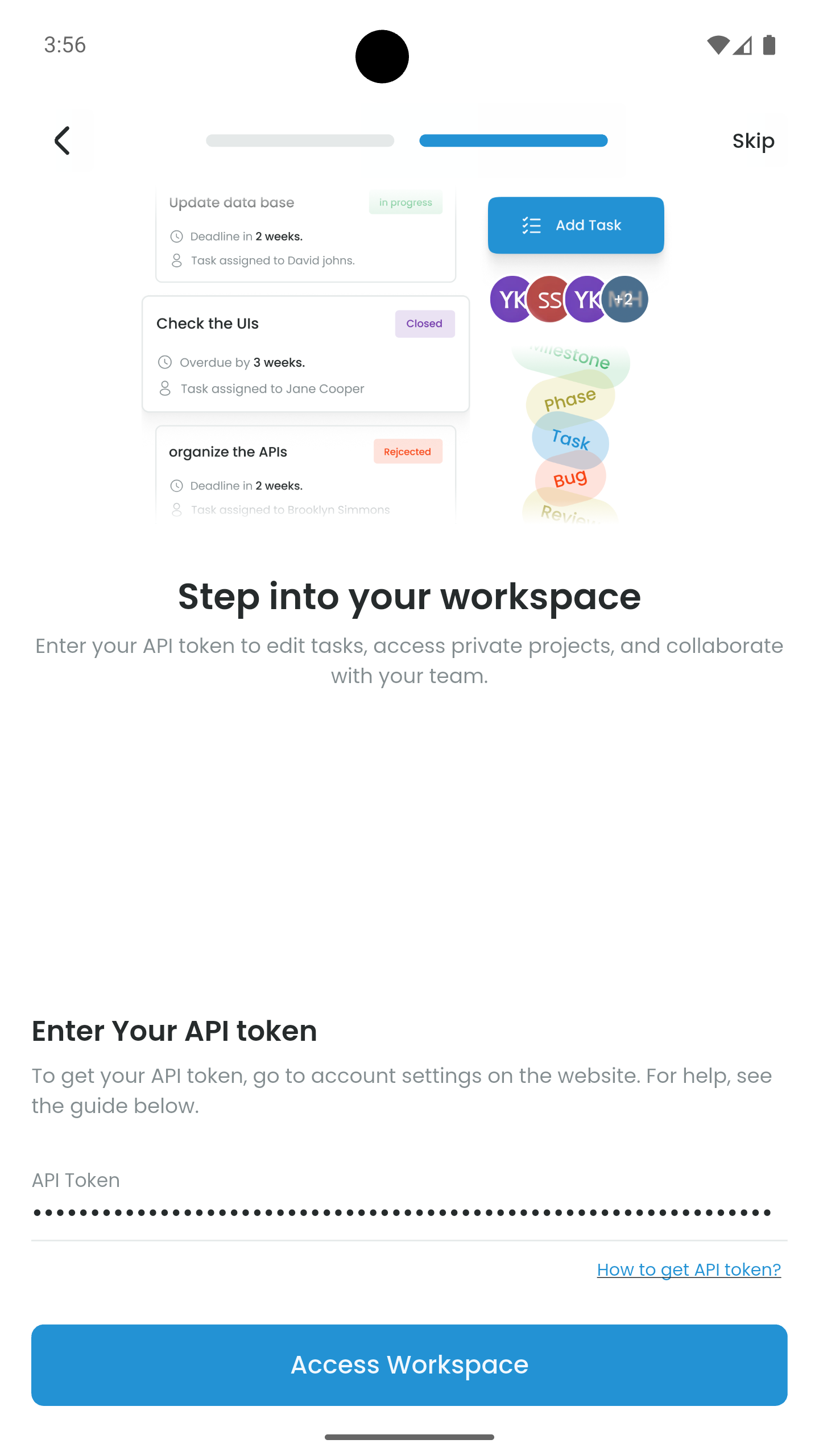 |
| Home | Work Packages | Add Work Package |
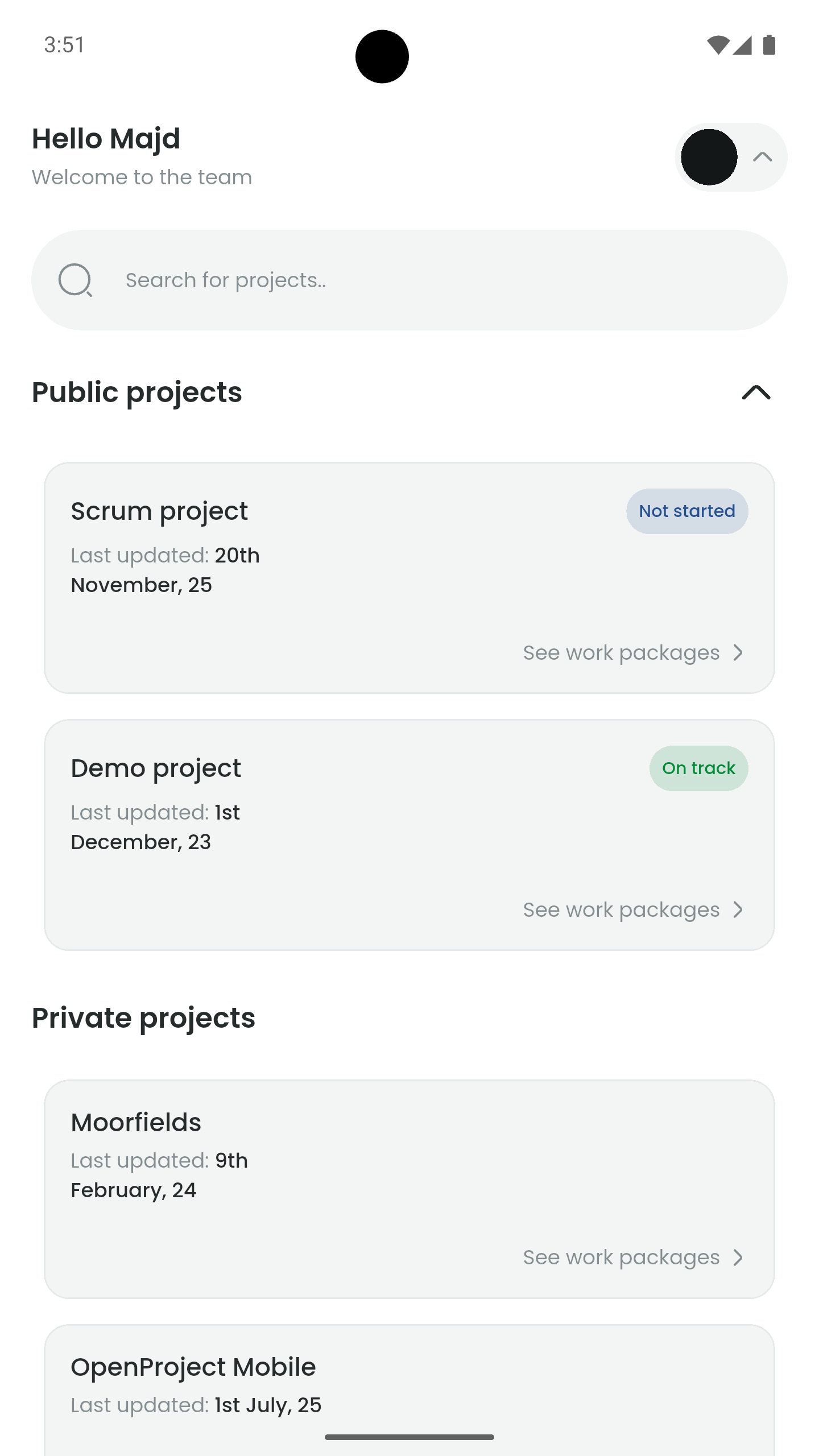 |
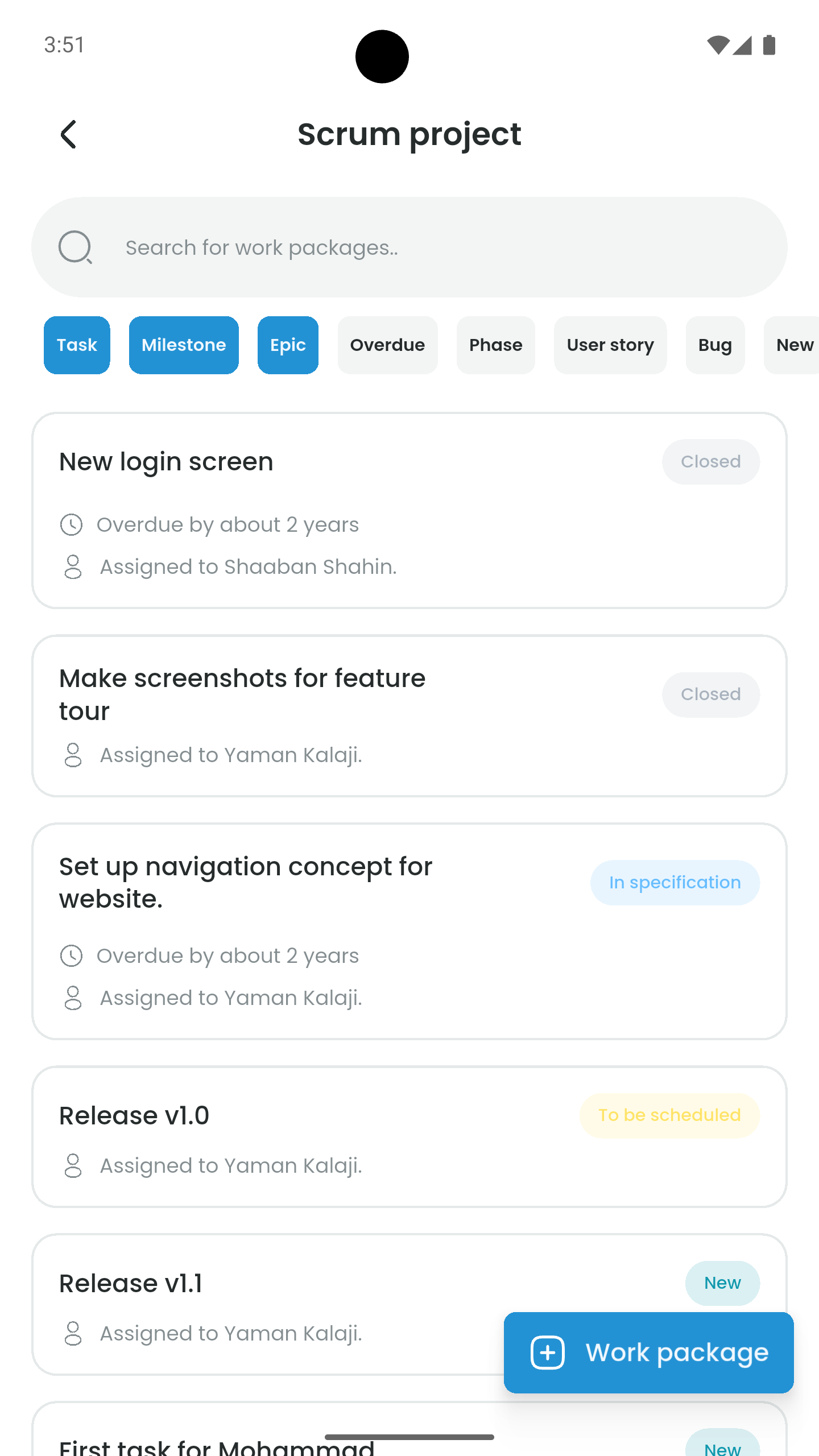 |
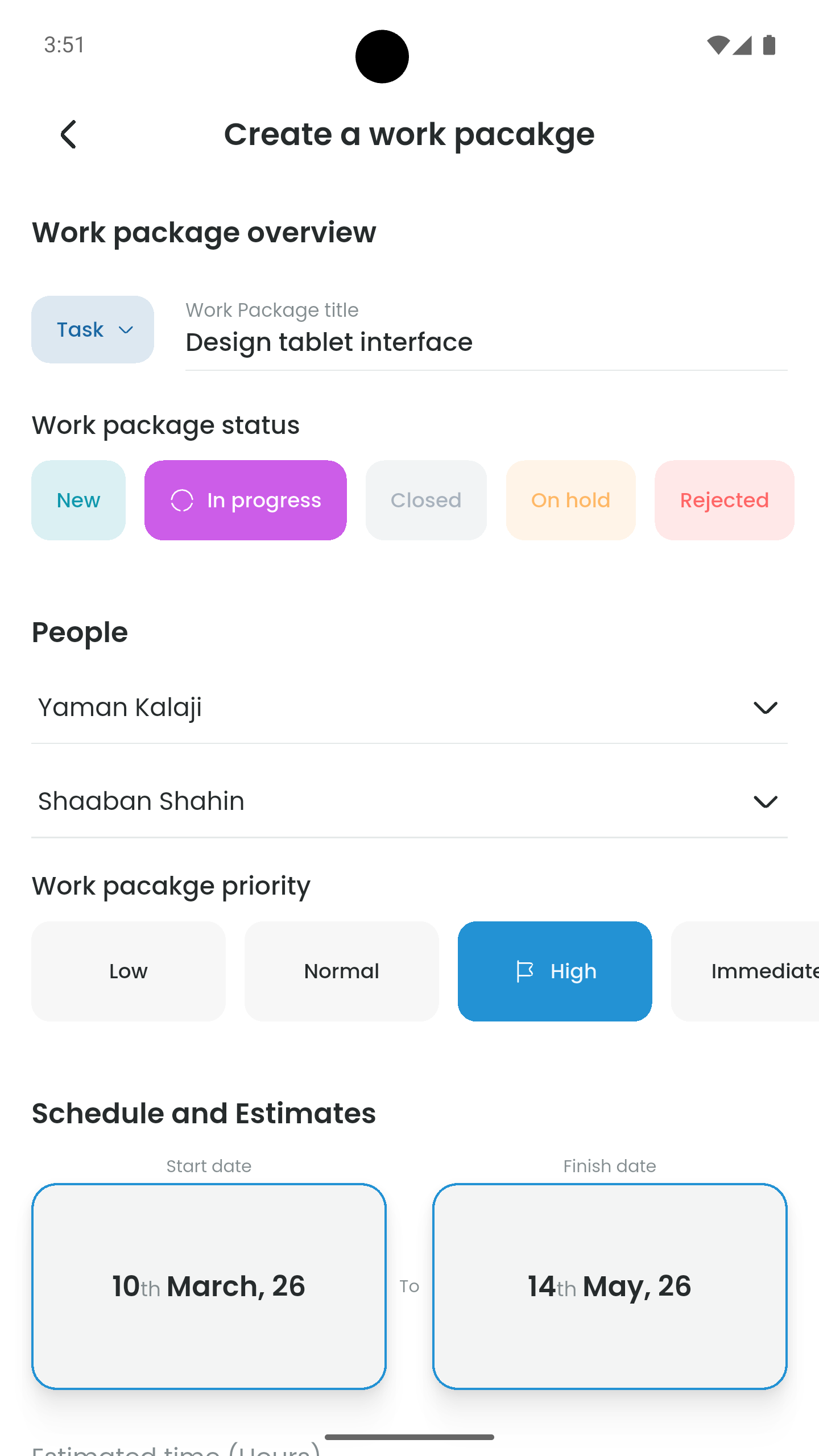 |
🌟 Key Features
- 📊 Project Overview: Navigate through your workspace with ease.
- 🚀 Comprehensive Work Package Management: View, track, and update work packages.
- 🔒 Security: Follows a “Local-Only” paradigm. Sensitive data (e.g. API tokens) never leaves the device.
- 🌐 Open Source.
🏗️ App Architecture
This application is built using a modular, 4-layer architecture.
📐 Layer Overview
| Layer | Responsibility | Key Components |
|---|---|---|
| Presentation | UI rendering and state management. | Screens, Widgets, Cubits |
| Application | Shared logic and cross-cubit coordination. | Controllers |
| Data | External API communication and data fetching. | Repositories |
| Models | Plain Dart classes representing data structures. | Data Models |
🧬 Technical Implementation
1. Presentation Layer (Primary)
Renders the UI, handles user interactions and state management.
- UI: Divided into
screensandwidgetsto improve reusability. - Cubits (State Management): Using the BLoC pattern.
2. Application Layer (Optional)
Acts as a coordinator for logic that resides outside the widget tree:
- Stateless Logic: Handles utility functions.
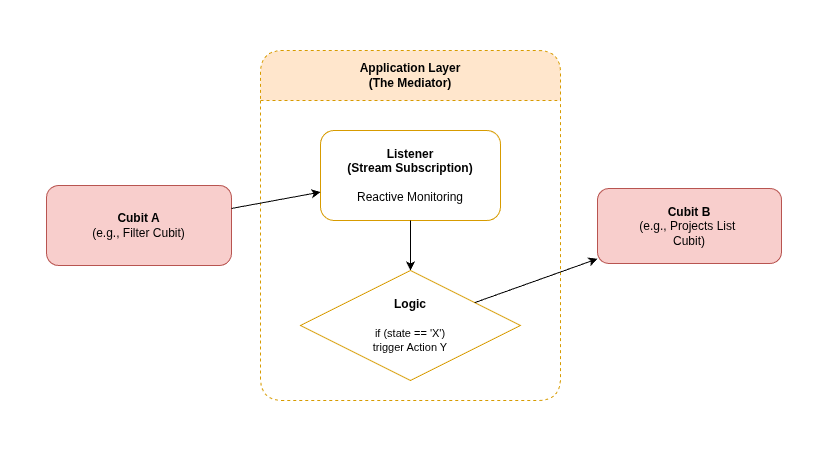
- Cubit Linking: Manages interactions between multiple cubits (e.g., refreshing a list when a setting changes).
3. Data Layer
Handles all asynchronous communication with the OpenProject REST API:
- Repositories: Abstract the data source, fetching raw JSON and returning mapped models.
- Connectivity: Communicates directly with your OpenProject instance via the
httppackage.
4. Models Layer
The foundational blueprints for the application.
🔄 Unidirectional Data Flow
- UI: User triggers an event (e.g., “Load Projects”).
- Optional: Controller (Application layer) triggers extra logic -when needed- before forwarding the request to the cubit.
- Cubit: Forwards the request to the Data Layer and emits a
Loadingstate. - Data Layer: Fetches data from the API and returns a Model.
- Cubit: Receives the model and emits a
Successstate. - UI: Rebuilds automatically via
BlocBuilderto display the data.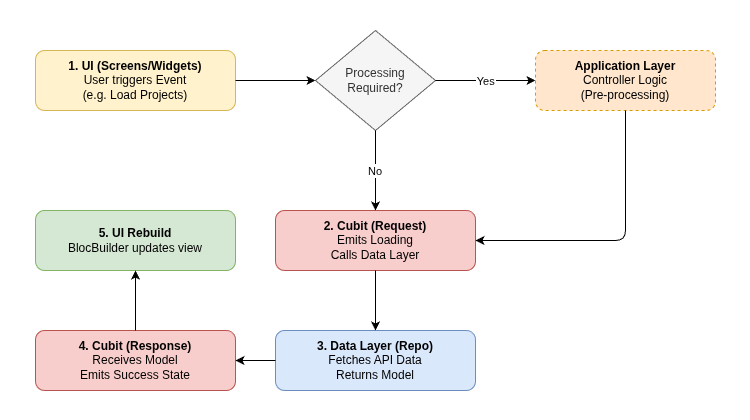
- Note: Cubit listeners are found in
Controllers(Applicaton layer), (e.g. when a cubit emits aLoadingstate).
📂 Directory Structure
lib/
└── features/
    └── example_feature/
        ├── presentation/     # 🟡 UI & Cubits
        ├── application/      # 🟠 Controllers & Shared Logic
        ├── data/             # 🔵 Repositories (API)
        └── models/           # 🟢 Data Models
🚀 Getting Started
Follow these instructions to set up the development environment and run the Client for OpenProject on your local machine.
📋 Prerequisites
Before you begin, ensure you have the following installed:
- Flutter SDK: Version
3.2.3 - 4.0.0 - Dart SDK: Integrated with Flutter
- Android Studio / VS Code: With Flutter and Dart plugins
- Java Development Kit (JDK): Required for Android builds
🛠️ Installation & Setup
-
Clone the repository:
git clone https://github.com/your-username/openproject_client.git cd client-for-openproject -
Install dependencies:
flutter pub get -
Environment Configuration:
Create a .env file in the root directory, paste this template inside it:
 FIREBASE_APIKEY=place_key_here
 FIREBASE_APP_ID=place_id_here
 FIREBASE_MESSAGING_SENDER_ID=place_id_here
 FIREBASE_PROJECT_ID=place_id_here
 FIREBASE_STORAGE_BUCKET=place_bucket_here
Then use your own keys.
-
Run the Application:
flutter run -
Compiling for Production:
flutter build appbundle --release
📜 License & Credits
- ⚖️ License
- This project is licensed under the MIT License - see the LICENSE file for details.
- ❗Important: This is an unofficial client and is not affiliated with, endorsed by, or sponsored by OpenProject GmbH.
- 🤝 Credits

Majd Haj Hmidi |

Shaaban Shahin |

Yaman Kalaji |